
Welcome to New in Edge for developers, a new series featuring recent web platform updates in Microsoft Edge that help web developers build better sites and apps.
In this first edition, we’ll look at CSS gap decorations for styling the space between layout items, the focusgroup attribute for easier keyboard navigation, same-site PWA origin migration for moving an installed web app without disrupting users, and other improvements such as text-fit, flex-wrap: balance, and faster clipboard reads. We’ll also preview upcoming features you can test today and share feedback on early, and highlight a few updates from across the broader web ecosystem, such as Modern Web Guidance, an AI coding agent skill helping you write better code.
Style layout gaps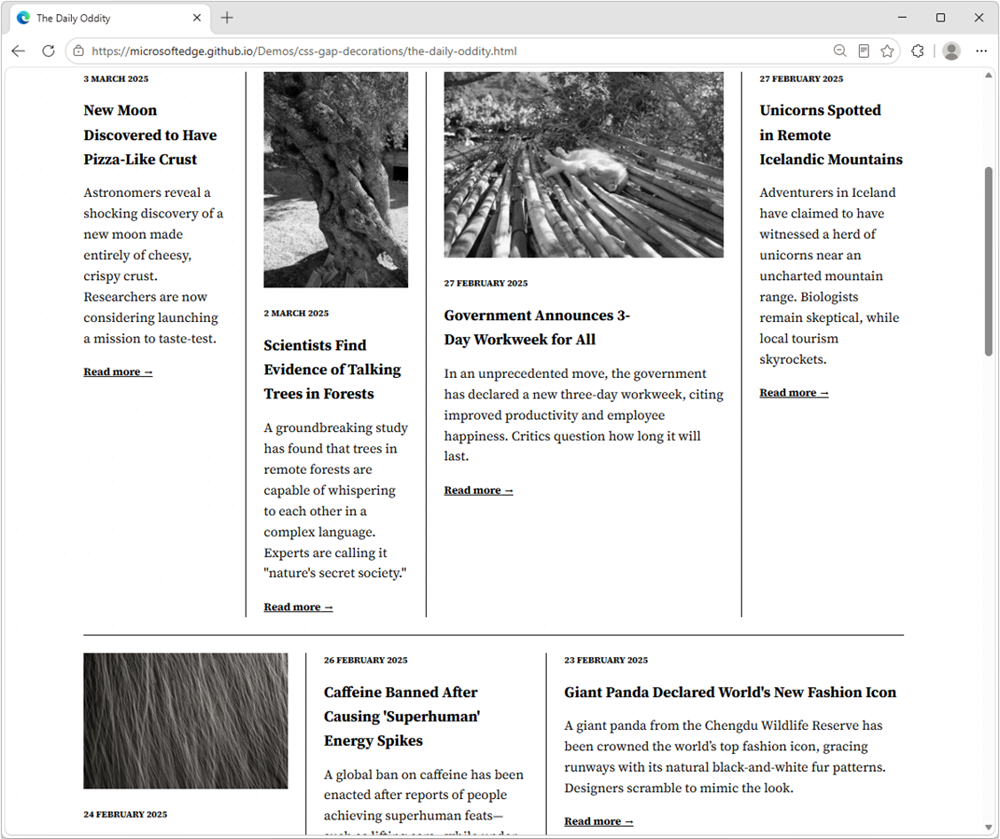
CSS gap decorations let you style the gaps between items in flex, grid, and multi-column layouts directly, without relying on border hacks, pseudo-elements, or extra DOM elements. The new row-rule and extended column-rule properties, as well as the rule shorthand, support colors, patterns, and even the repeat() syntax for rich, consistent designs with minimal CSS.
.grid {
  display: grid;
  gap: 16px;
  row-rule: 1px solid #ccc;
  column-rule: 2px solid #333;
}
Learn more about CSS gap decorations and try our interactive playground.
Improve keyboard accessibility with focusgroup
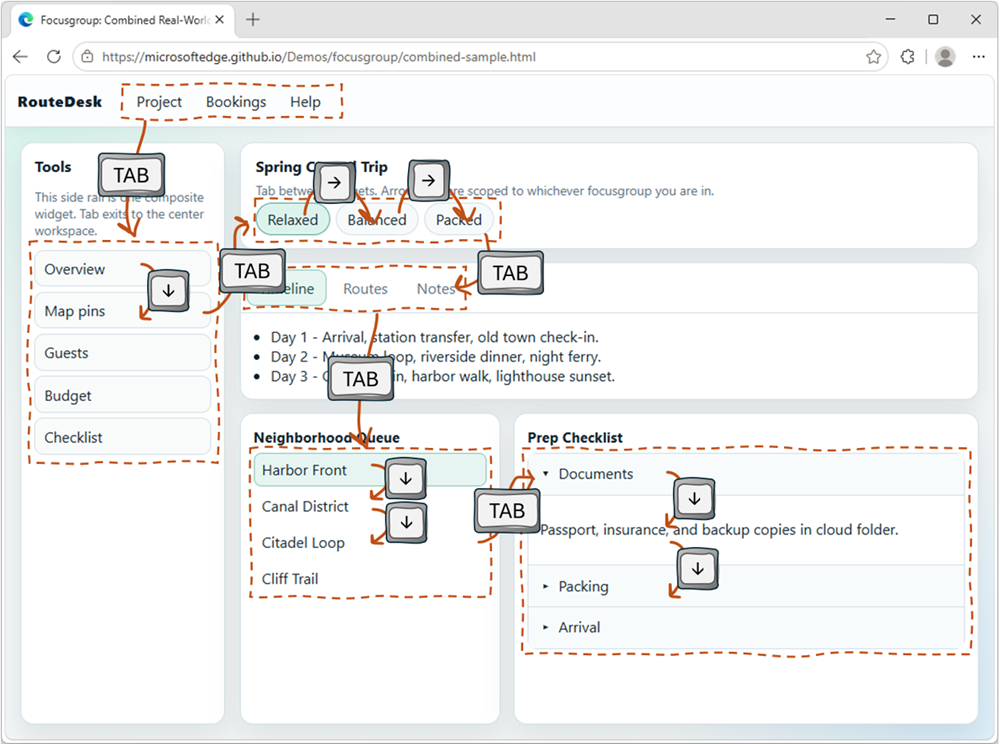
The focusgroup HTML attribute gives you arrow key navigation for composite widgets, such as toolbars, tabs, or menus, for free. With the focusgroup attribute you get automatic arrow key handling and focus memory, without any custom JavaScript roving tabindex code.
To learn more, check out Making keyboard navigation effortless.
Migrate your PWA to a new origin
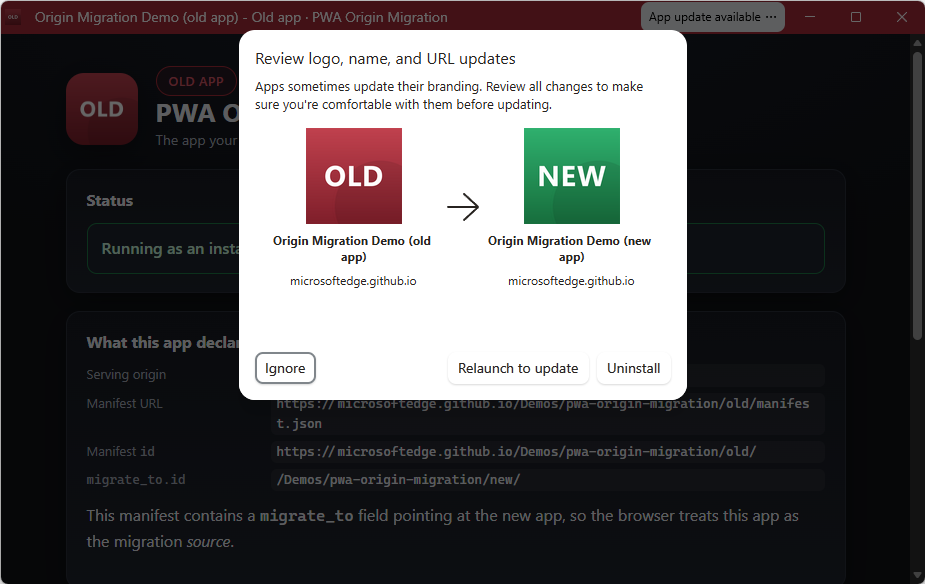
You can now seamlessly migrate your Progressive Web App (PWA) to a new, same-site origin, preserving user installations and permissions.
When a user installs a PWA, its identity is bound to its web origin (for example, example.com/app). Previously, changing the origin forced users to manually uninstall and reinstall the app. This is no longer necessary. Now, moving to a new origin such as app.example.com can happen without interruption to your users.
To learn more, see Seamless PWA origin migration: Change domains without losing users.
And many other features
We’ve added many more web platform features to Microsoft Edge over the past fews releases. Check out the links below to find out more:
- image-rendering: crisps-edges: scale an image in a way that preserves contrast and edges, without smoothing colors or introducing blur.
- OpaqueRange for form control text: measure, highlight, and anchor UI to the text inside
and