
As part of the Agentic Data Cloud launch at Google Cloud Next ‘26, we announced two AI-powered database agents to simplify database management. These include the Database Onboarding Agent for Day 0 operations — setup, configuration, and initial deployment — as well as the Database Observability Agent for Day 1 and 2 operations, including monitoring, troubleshooting, and ongoing maintenance.
These agents are always on, informed by Google’s years of experience, and integrated across Google surfaces such as Chat, CLI, the Google Cloud console, Managed Context Protocol (MCP) servers, and third-party tools — including your preferred integrated development environment (IDE), so you get help where and when you need it.
Traditionally, managing and creating databases has involved a combination of manual architecture planning, custom scripts, and distinct tools. Teams handle database provisioning, schema design, index configuration, and query tuning, alongside performance monitoring—often cycling through repeated testing and optimization cycles as application demands change. Although this method is functional, it demands substantial technical skill and continuous attention throughout the entire database lifecycle. For example, developers often fear making an update that may limit their ability to scale the system later. Similarly, when an application slows down, finding the exact query or resource constraint causing the issue can take hours of manual investigation and troubleshooting.
Intelligent AI-powered agents can simplify database lifecycle management by automating many of these tasks such as recommending the right database type for the workload, detecting anomalies, recommending the right configurations, optimizing queries, and providing actionable insights to improve operational efficiency. By embedding these capabilities directly into workflows where you need them, agents help organizations build, operate, and optimize databases more efficiently while reducing operational overhead.
Let’s take a closer look at these new database agents.
Database Observability Agent: From diagnosis to remediation
The Observability Agent empowers Site Reliability Engineers (SREs), DevOps pros, DBAs and developers to diagnose complex issues and remediate them using simple natural language prompts.
As your operations scale, identifying subtle issues like query hotspots or lock contention becomes an expensive burden. The database observability agent uses Google’s operational expertise and the reasoning capabilities of Gemini to solve these challenges. By automatically connecting telemetry across multiple sources including Database Insights, Cloud Monitoring, Cloud Logging, and Cloud Trace the agent provides a clear root cause analysis in minutes.
Beyond just identifying the “why,” the agent suggests recommended actions to fix the issues found, and can execute validated actions with your approval. For example, if it detects a bottleneck, it might suggest you “Enable connection pooling for Cloud SQL instance,” providing the rationale and expected impact before you commit to the change. Some capabilities include:
-
Fleet-level troubleshooting: The Observability Agent is integrated with Database Center so you can use Gemini Chat to ask complex fleet-wide questions like, “Which databases in my fleet consumed the most CPU in the last 7 days?” to receive a summarized analysis across your entire fleet.
-
In-product investigations: The agent correlates complex telemetry across Database telemetry, Cloud Monitoring, Cloud Logging, Cloud Trace, and multiple other data sources to pinpoint issues like latency spikes or lock contention. (In preview with select customers)
-
Validated remediations: Instead of just identifying problems, the agent provides crisp recommendations and can execute validated actions with your approval, such as adding indexes for a Cloud SQL instance. (In preview with select customers)
-
MCP tools: The Observability Agent derives insights with the help of tools such as system metrics, query metrics, fleet inventory, and issues, which are also available as MCP tools via the Database Insights MCP Server and Database Center MCP Server.
Integration that fits your workflow
You can access these Database Observability Agent capabilities directly within your existing database management processes. The agent powers several experiences, including:
-
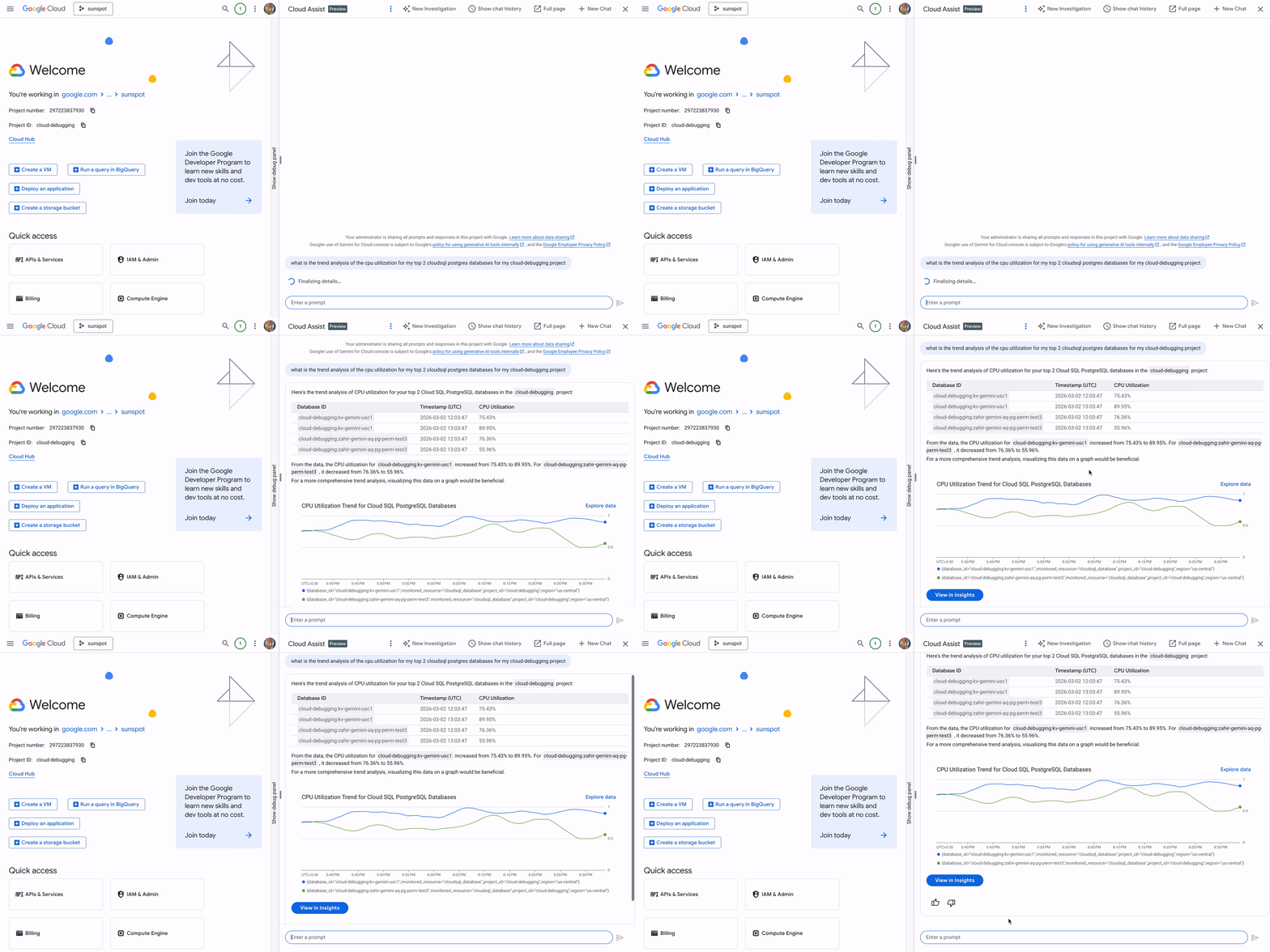
Cloud Assist chat: Ask questions in natural language, for example, “What is the CPU utilization trend for my top Cloud SQL instances?” to get a summarized analysis complete with charts. Then, within the Chat window, you can start an investigation for any issues found,and get a root-cause analysis and remediations.
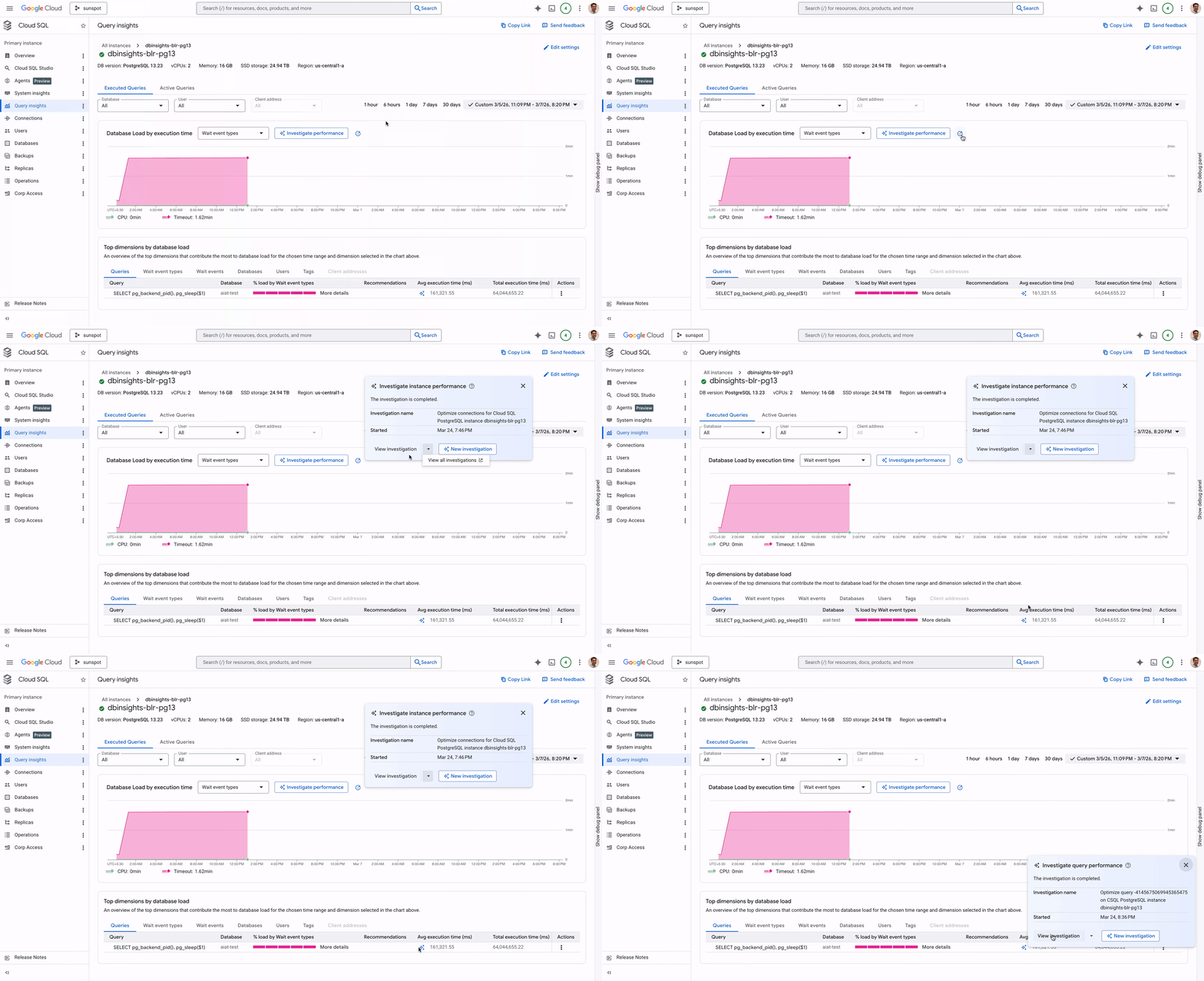
- In-product investigations: Use Gemini Cloud Assist to investigate and remediate issues in-context on relevant database pages from the console.
- Developer tools: Consume the agent’s capabilities through Antigravity or an IDE of your choice. This is augmented by the rich set of observability MCP tools that Google provides. All of these tools are available on Google Remote MCP servers. Combining them together is like giving developers a virtual DBA to optimize their databases, but all within their IDEs.
Supports multiple managed databases
You can use Observability Agent to get answers to your database queries, to access any database metric instantaneously, or to leverage AI-powered diagnosis to resolve complex problems. The agent covers a broad set of issues across a variety of Google Cloud databases, including:
-
Cloud SQL: Troubleshoot and optimize your database instance load, query performance or connectivity issues for all Cloud SQL database engines. For Cloud SQL for PostgreSQL, leverage the agent to troubleshoot common database issues.
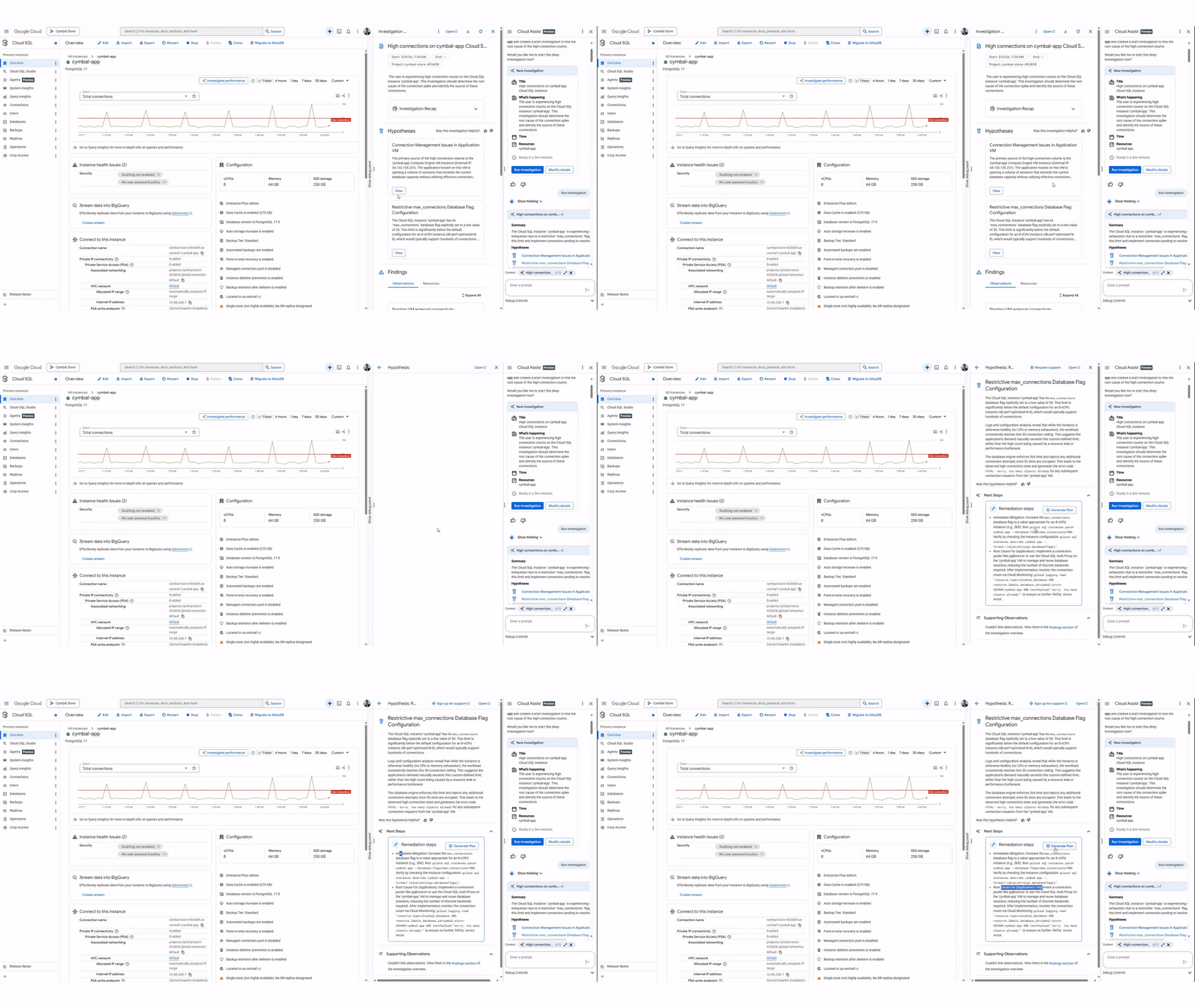
Similarly, the agent helps you identify issues, find their root cause, and take remediation actions for other supported databases and issue types.
- Spanner: Here, the most common troubleshooting scenario involves optimizing read and write latencies. The agent helps you do that in minutes, covering a broad set of scenarios ranging from hotspots to lock contentions.
- AlloyDB: Troubleshoot and optimize your database instance load, query performance or replica lag issues.
- Bigtable: Diagnose and optimize your read and write latencies, complete with crisp, actionable recommendations.
Database Onboarding Agent
The new Database Onboarding Agent is your active partner during the database selection process. Instead of spending hours reading documentation, you can describe your application requirements to the agent in natural language. The agent understands technical metrics like IOPS, latency limits, and replication lag, so it can provide a sound recommendation. You can access the Database Onboarding Agent’s capabilities directly within the Gemini chat interface. With the Database Onboarding Agent, you get:
- Recommends database solutions: Analyzes user requirements regarding workload performance, scale, data type, and reliability to suggest optimal Google Cloud Managed Database services (e.g., Cloud SQL, Spanner, AlloyDB).
- Smart recommendations: The agent reflects your requirements back to you, such as recommending AlloyDB for a high availability configuration, helping you have confidence in its selections.
- Streamlined configuration: Once you choose a service, the agent generates the required commands. You can then use these commands to provision your database instance, configure the correct features, and deploy it.
Get started
The Database Observability and Onboarding Agent’s capabilities are available for a wide range of services, including AlloyDB, Bigtable, Cloud SQL (PostgreSQL, MySQL, SQL Server), Firestore, Memorystore, and Spanner. These agents are currently available via Gemini Cloud Assist. Explore AI assisted troubleshooting and Gemini Chat for AlloyDB, Cloud SQL, Spanner, and Visit Gemini Cloud Assist page to learn more.