
Agents are creating a foundational shift in how people get things done, unlocking new levels of productivity and capability on the PC. As agents become part of everyday work, they also raise the bar for compute, security, and control.
That’s why we’re building Windows as the home for hybrid intelligence: a platform where agents can run locally when it makes sense, reach the cloud when they need to, and operate with the security and manageability organizations expect.
Hybrid intelligence expands what’s possible. Windows makes it practical, secure, and ready for broad adoption. And powerful new silicon, devices and models unlock local compute. Together, they define the next chapter of the PC:
- Windows is the most secure platform for agents. With containment, identity, and manageability built into the platform, Windows helps you control what agents can access, know which agent acted, and govern them at scale. Microsoft Execution Containers (MXC), now generally available for Windows and integration with Microsoft Agent 365, are key steps in making that real.
- Hybrid intelligence brings frontier capability to Windows locally. With intelligent routing, powerful local models, and a performant runtime, Windows lets work run in the right place for each task — local or cloud. We’re bringing frontier-class capabilities to local PCs and enabling services like GitHub to route intelligently on Windows.
- Copilot gets supercharged with Windows hybrid intelligence. With your permission, Copilot will be able to use local context from your PC, take action on your behalf, and tap into local models, bringing you more capability while helping your tokens go further.
- A new generation of PCs built for these possibilities. From always-on mini desktop PCs to deskside supercomputers powered by DGX Station for Windows, we are bringing a broad range of devices to unlock hybrid intelligence. Surface Laptop Ultra, powered by NVIDIA RTX Spark™, is available for pre-order today, alongside new devices from ASUS, Dell, HP, Lenovo, and MSI.
- Windows gets more capable across everyday tasks including new ways to take action directly from Windows Search on the taskbar and enhancements in gaming.
Windows is the most secure platform for agents
Agents don’t work like traditional apps. They can run around the clock, use tools, write code, access files, and act across systems, often without someone watching every step. That requires a new security model built for how agents actually operate.
On Windows, that model comes together through containment, identity, and manageability. Containment controls what an agent can access. Identity makes clear which agent acted, so IT can distinguish agent activity from the person using the device. And manageability connects that activity into tools like Agent 365 and Intune, so organizations can set policy, monitor risk, and govern agents across the organization1.
Together, these primitives allow organizations to secure, observe, and govern agents with confidence.
Expanding the ecosystem of agents on Microsoft Execution Containers, now generally available

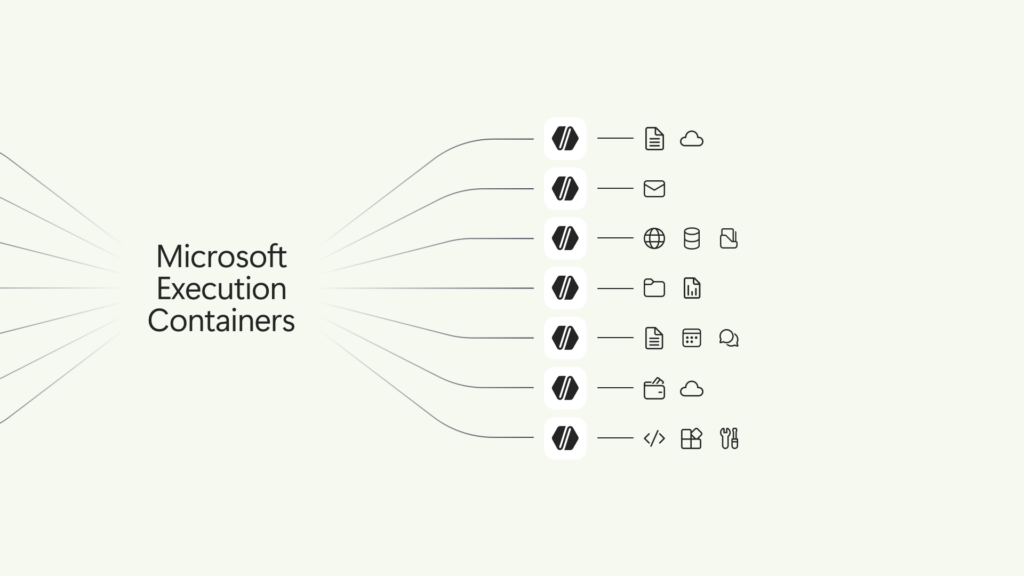
Traditional sandbox solutions weren’t designed for agents, where containment needs can change with every prompt and tool call. We built Microsoft Execution Containers (MXC) to meet that need.
Today, Microsoft Execution Containers (MXC), becomes generally available on Windows 11, enabling organizations to define which files and networks agents can access, with those policies enforced at runtime. For individuals using AI on their personal PC2, these safeguards are part of the agent experience itself, giving users a more secure way to work with these tools.
While MXC works across operating systems, its deep integration with Windows gives organizations more control of their data and a broader range of containment options, from process and session isolation to WSLc, virtual machines, and Windows 365 for Agents.
Leading agents already support MXC, including Codex from OpenAI, GitHub Copilot, OpenClaw, Replit, LM Studio, OpenShell from NVIDIA, and Unsloth AI. Many others will be releasing support for MXC: Anthropic Claude Code, Box, Egnyte, Heidi Health, Hermes Agent by Nous Research, Manus, Perplexity, Raycast, and Simular amongst others.

We’re also excited to share that Muse for Windows, a personal AI agent from Meta, is coming soon as a native app on Windows with MXC integration, bringing another leading AI experience to Windows and providing more choice in the agents people can use on their Windows PC.
To learn more about how developers can integrate their agents with MXC, visit: Microsoft Execution Containers: Policy-driven containment for AI agents.
Bringing hybrid intelligence to Windows

As AI models grow in size and capability, customers’ needs are outpacing what their cloud budgets can support. They want to make every AI token count without giving up frontier capabilities. Hybrid intelligence brings local and cloud AI together, helping customers stretch their budgets while preserving access to the intelligence they need.
To bring this to life requires powerful local models, intelligent orchestration, a performant runtime, and capable silicon, all working together to create a meaningful experience.
Frontier coding intelligence, running locally on your PC
At Build, we introduced MAI Code 1.1 Flash, a 137 billion total and 6.8 billion active parameters, designed for real-world coding workloads. Today, we’re bringing that intelligence to your device, using 3-bit precision to reduce the model size by nearly 80% while preserving coding quality and supporting a 256K context window locally.
In addition to MAI Code 1.1 Flash, we are bringing other powerful models like an upcoming Nemotron model from NVIDIA – with over 70 billion parameter and quantized in 2-bit to use just over 20GB of memory and DeepSeek V4 Flash, a 284B parameter model, and others for optimal speed and intelligence running locally on RTX Spark.
With optimization and tuning, these models bring what was frontier-class capabilities to local PCs while preserving accuracy and performance — using less memory and fewer system resources.
The goal is to keep AI responsive while leaving room for everything else you do on your PC.
Introducing intelligent routing on Windows with GitHub HydraFusion
Earlier this year, GitHub launched HydraFusion, which routes each task to the right model in the cloud.
Today, we’re extending that intelligence to Windows, enabling HydraFusion to tap into models running locally on device, making your tokens go further.
Hybrid intelligence on Windows, powered by HydraFusion is coming to the GitHub Copilot app, GitHub Copilot CLI and Visual Studio Code in experimental preview later in October.
To learn more about how we’re working with GitHub to make this possible on Windows, read: Bringing local models and sandboxed tools to Windows and GitHub Copilot.
Bringing llama.cpp to Windows ML to provide easier access to open-source models
To power this growing ecosystem of highly capable local models, you need a performant runtime. Windows ML is a scalable runtime to deploy models across GPU, NPU, and CPU, and we’re continuously evolving it.
Today, we’re also announcing llama.cpp support in Windows ML, giving developers more open-source model choices, and the ability to experiment quickly with emerging models as they land.
To learn more, visit AI Development on Windows: from PyTorch and llama.cpp to Windows ML.
Supercharging Copilot on Windows with hybrid intelligence

Recently, we introduced the new Copilot built around three experiences: Home, Code, and Autopilot. Today, we’re announcing that on Copilot+ PCs, Copilot will get supercharged with Windows hybrid intelligence, providing three key local capabilities.
- Local context. With your permission, Copilot can understand relevant content on your PC, including files and recent activity, bringing local context into the flow of work.
- Local actions. Copilot can take action on your behalf across Windows, helping complete tasks like organizing files, assessing device diagnostics, troubleshooting issues, coding, and carrying out workflows directly on your device.
- Local models. Copilot can tap into AI models running on your PC, using local compute for the right tasks while combining it with cloud intelligence when needed.
Across Home, Code, and Autopilot, hybrid intelligence makes Copilot more useful on Windows.
In Home, Copilot can use local context from your PC to pull in the files you’ve been working on and help turn them into collaboration-ready artifacts.
In Code, hybrid intelligence helps you create native Windows apps from a single prompt, run code more securely with MXC support, and use local models when appropriate so projects can move faster and token costs can be managed.
And hybrid intelligence will make Autopilot, a persistent, proactive and personal agent, even better. Hybrid intelligence brings local context, local models and PC actions into the agent flow, enabling more grounded personal agent experiences that can continue working on your behalf, even while you focus on other things.
This is the next step for Copilot on Windows, powered by hybrid intelligence. Copilot understands your PC, takes action with your permission, and uses local models when it makes sense, with you in control at every step. Copilot features powered by hybrid intelligence are expected to begin rolling out on Copilot+ PCs in the coming months.3
Offering a range of PCs for agentic work
To bring our vision of hybrid intelligence and new experiences to every desk and every home, you need a broad range of silicon and Windows PCs, from mini desktops up to deskside supercomputers.
Mini desktop PCs, with a simplified out-of-box setup for running agents
People are already using mini desktop PCs as always-on machines for long-running agents. But too often, getting started requires terminal-based setup, complicated configuration, and security trade-offs that weren’t designed for agent workloads.
Today, we’re announcing a simpler way to set up popular agents on mini desktop PCs in just a few clicks, right out of the box. For OpenClaw users, we’re introducing a native Windows gateway that simplifies setup, along with MXC integration to help keep agents securely contained in a sandbox.
This is just the beginning. Over time, we intend to bring these experiences to more Windows devices, guided by customer feedback, so more people can securely run and work with the agents they choose.
Copilot+ PCs, with hybrid intelligence
Copilot+ PCs established a new class of thin, light and powerful Windows PCs designed to deliver advanced AI experiences on device.
Across all Copilot+ PCs, over 2 trillion inferences are run locally per month, improving customers’ experience across search, imaging, and video calls, and today, over 40% of laptops being built for business are Copilot+ PCs.
With fast performance, great battery life, and built-in AI features, Copilot+ PCs are your PC for everyday tasks, with even more capability on the way with the new Copilot and hybrid intelligence.
See the latest Copilot+ PCs from Acer, ASUS, Dell, HP, Lenovo and Microsoft Surface, at: https://www.microsoft.com/en-us/windows/shop-pcs.
Copilot features powered by hybrid intelligence are expected to begin rolling out over the coming months on Copilot+ PCs4.
Builder PCs, for a new way to create with cloud and local AI
We’re designing new PCs for the builders – the developers, creators, and makers who are pushing the limits of what they can do with their PC. They bring together high-performance local compute and intelligence so people can build, iterate, and create with the right AI capability for the task.
Builder’s PCs require powerful silicon, unified memory, and optimized AI experiences built for demanding local workloads. In June, Microsoft and NVIDIA introduced RTX Spark to help usher in this category. Windows will continue partnering with NVIDIA and other silicon vendors to expand these capabilities across more devices.
Today, we’re excited to announce pre-order of new Windows PCs powered by RTX Spark from ASUS, Dell, HP, Lenovo, MSI and Microsoft Surface.
Surface Laptop Ultra and Surface RTX Spark Dev Box, available for pre-order

Surface Laptop Ultra, our most powerful Surface ever, brings the vision of hybrid intelligence to life for creators, developers and AI builders. Designed around the RTX Spark, it combines up to 128 GB of unified memory with the ability to run AI models exceeding 120 billion parameters locally, bringing powerful AI compute to demanding creative and technical workflows.
Alongside Surface Laptop Ultra, Surface RTX Spark Dev Box brings powerful local AI compute to the desk, helping developers and AI engineers experiment, evaluate models and iterate locally.
Both devices are available for pre-order today, with Surface Laptop Ultra available beginning October 16 and Surface RTX Spark Dev Box shipping to customers in the U.S. November.
An ecosystem of Builder PCs, powered by RTX Spark
With Windows on RTX Spark, we’re bringing last year’s frontier capabilities to your laptop.
New Windows PCs powered by NVIDIA RTX Spark were designed as an ecosystem to maximize performance in tasks like local inference, image and video generation.
We’re proud to support our device partners as they meet the unique needs of our customers. Across Windows PCs with RTX Spark, builders can see significant local AI performance gains compared with an Apple MacBook Pro 16-inch with M5 Pro, including up to5:
- 2.1x faster time to first token6
- 4.3x faster AI image generation7
- 6.2x faster AI video generation8
Today you can pre-order the following PCs:
- ASUS ProArt P16 and ASUS ProArt P14: Combines powerful AI performance, ASUS Lumina Pro OLED displays and big capacity battery life in slim, lightweight 16- and 14-inch designs built for creators on the go.
- Dell XPS 16 Creator Edition: The first XPS laptop powered by NVIDIA RTX Spark, giving creators and developers studio-grade performance, professional display accuracy, and local AI development in a premium, portable design.
- HP OmniBook Ultra 16: Combines an ultra-thin premium design with breakthrough thermal innovation, delivering sustained performance for the most demanding AI workloads.
- Lenovo Yoga 9n 2-in-1: A versatile convertible that combines NVIDIA RTX Spark with a 360-degree design and dual-surface pen input for creators who need high performance and flexibility to work independently or collaborate.
- MSI Prestige N16 Flip AI+: Combines a thin-and-light 2-in-1 design with a 16-inch UHD+ Tandem OLED display, NVIDIA AI acceleration and a 99.9Wh battery for creators, professionals and gamers on the go.
- Surface Laptop Ultra: The most powerful Surface Laptop ever, built around NVIDIA RTX Spark with up to 128GB of unified memory, a 15-inch touchscreen and a new thermal architecture engineered for sustained performance.
All of these RTX Spark Windows PCs are available for pre-order starting today and begin shipping October 16. The RTX Spark based dev boxes and mini desktops will be coming later this year.
AI supercomputers, with DGX Station for Windows
With Windows on DGX Station we’re bringing last quarter’s frontier capabilities to your desktop.
At the top of the range, we’re excited to announce that new supercomputers powered by NVIDIA DGX Station will be available on Windows later this year.
Utilizing the NVIDIA GB300 Grace Blackwell Ultra Desktop Superchip, DGX Station for Windows brings data-center-class performance together with enterprise grade security and manageability. This unlocks the power to run frontier-class models locally, from Llama 4 Maverick and Kimi K2.6 to DeepSeek V4 Pro, at more than a trillion parameters9.
Capabilities that once required renting a cluster, now in a deskside supercomputer. This brings a new level of AI compute to Windows, enabling developers, engineers, scientists and organizations everywhere to run frontier-class models and agentic workloads on devices that were previously limited to the cloud or data centers. The DGX Station for Windows enables 2 key customer scenarios:
- Personal AI Supercomputer: For the most demanding engineering, scientific, and research workloads, DGX Station for Windows enables a generation of powerful Windows applications accelerated by multimodal agents that can model, perceive, and design for the physical world.
- Scalable Windows Token Factory: DGX Station for Windows can also serve as powerful token factory for teams, supporting 32 or more simultaneous agents serving teams of developers, engineers, or researchers, helping reduce cloud token consumption.
By keeping inference local, organizations can keep sensitive data and IP within their own environment and manage their AI Supercomputers and Token Factories using the same trusted tools they use across their Windows fleet today.
The result is a shared AI resource on Windows that helps lower operating costs, improve responsiveness, and give teams greater control over how and where their AI workloads run. Paired with MXC, it’s never been easier to build, govern, secure, and trust end-to-end agentic loops on Windows.
Today we welcome the Dell Pro Precision with GB300, and HP ZGX Fury AI Station, both coming later this year, alongside more from our other OEM partners, running the Windows platform organizations know and trust.
Windows gets more capable across everyday tasks
Hybrid intelligence opens up an entirely new chapter for Windows, but innovation isn’t only about what’s next. It’s also about making the experiences you rely on every day faster, easier and better, from getting things done to how you play.
Introducing actions in Windows Search: Go from finding to doing
Search has always been about quickly helping you find what you need. Today, we’re introducing a new Windows Search experience that is faster, more efficient, and enables richer experiences, beginning with thousands of new actions that will be available directly from the taskbar.
These new actions help you finish tasks right where you started, without opening another app or navigating through additional screens. We’re starting with familiar tasks where saving a few steps can make a meaningful difference in everyday use.
Here are a few things to try:
- Turn something on or off. Try phrases such as “switch to dark mode, “turn on Do Not Disturb,” or “enable Airplane mode.”
- Make a quick adjustment. Try “dim my screen” or “mute.”
- Manage your workspace. Try “minimize all my windows,” or “arrange my windows.”
- Send a message. Try “Text Elisa I’ll be there soon.”
We will also begin adding the option to integrate the new Copilot with Search on the taskbar, so you can get quick answers inline from Search, and if you want to have a richer conversation, you can jump from Search directly to the full Copilot app. This experience will be opt-in, and will first start rolling out to select markets later this year.
New actions will begin rolling out to Windows Insiders in the experimental channel today. Visit to read more: From searching to doing: Building a faster, more streamlined Windows Search .
Advancing gaming across the Windows PC ecosystem
Gaming is a fundamental part of Windows, and with new Windows PCs powered by RTX Spark, we’re continuing to expand where and how people can play the games they love.
Over the past several years, we’ve made significant investments to improve the gaming experience on Arm-based Windows PCs with expanded availability of Prism, support from leading anti-cheat providers, and XBOX PC app compatibility.
RTX Spark™ now raises those investments to new levels for gaming performance and graphics capabilities, showcased by Gears of War: E-Day, with support for features like DirectX raytracing, variable rate shading, and DirectStorage. Gears will also be the first to offer expanded support for Advanced Shader Delivery, cutting first-launch shader compilation from minutes to seconds and helping reduce in-game stutter, so players spend less time waiting, and more time playing.
Combined with growing support from game developers and publishers such as Electronic Arts, Embark, Tencent and Ubisoft joining KRAFTON, NetEase, Riot Games, Epic Games and more, players now have access to a deep and growing catalog of PC games on Windows on Arm, including Fortnite, Alan Wake 2 and the new World of Warcraft: Forever, and other top titles coming soon, like League of Legends, Valorant, PUBG: Battlegrounds, Genshin Impact and other top titles on Arm-based Windows PCs.
And we’re super excited to announce that in 2027, Call of Duty will be coming to RTX Spark™.
Windows is the home for PC gaming and together with our partners, we’re making Windows on Arm continue that heritage. That means more of the games players love, richer graphics, and less time waiting to get into the action.
Innovation built on a foundation of quality
Innovation only matters when the foundation underneath is great. Over the past year, the team has been hard at work improving Windows quality, and we continue to invest in everyday performance, reliability, and craftmanship that have meaningful impact on the way people experience Windows.
This work has spanned giving customers more personalization and control in places like Windows updates, Start and taskbar, Search, the Windows Insider program, as well as deep investments with our partners to enhance driver quality, reliability and security with our ecosystem.
It has also included significant efforts to make Windows the best destination for developers, including optimizations specific to the developer experience.
In July we shared how this work continues as we deliver ongoing improvements customers can feel across each of these areas, which will only grow in importance with the new capabilities we’ve shared today.
The way forward for Windows
This is the future we’re building: agents that can work securely on your behalf, intelligence that moves seamlessly between local and cloud, and devices that become more capable than ever before. At the same time, Windows will continue to get better at the everyday experiences people rely on — from Search to gaming and everything in between. From the edge to the frontier, Windows is the home for hybrid intelligence — helping individuals and organizations get more done, more efficiently, with security built in.
Explore the new Windows PCs powered by NVIDIA RTX Spark and join us at Microsoft Ignite in November to learn more about putting hybrid intelligence to work for your organization.
[1] Governance at scale may require additional services.
[2] Windows Update required. Features will roll out over time, and availability and timing may vary by device, market, and silicon platform.
[3] Windows Update required. Features will roll out over time, and availability and timing may vary by device, market, and silicon platform.
[4] Availability and timing may vary by device, market, and silicon platform.
[5] Compared with an Apple MacBook Pro 16-inch with M5 Pro and 64 GB of memory, tested Windows PCs with NVIDIA RTX Spark.
[6] Based on Microsoft-commissioned testing conducted in September 2026, comparing a selection of preproduction Windows PCs with NVIDIA RTX Spark (64 GB) and a preproduction Microsoft Surface Laptop Ultra with NVIDIA RTX Spark (64 GB) against an Apple MacBook Pro 16-inch with M5 Pro (64 GB). Tested in llama.cpp using the Qwen3.5 27B model (Q4K-Medium) with a fixed 8,192-token prompt. Performance varies significantly by device configuration, usage and other factors.
[7] Based on NVIDIA testing conducted in September 2026, comparing a selection of preproduction Windows PCs with NVIDIA RTX Spark (64 GB) and an Apple MacBook Pro 16-inch with M5 Pro (64 GB). Tested in ComfyUI using FLUX.2 Klein 4B at NVFP4 precision, four sampling steps, and an output resolution of 1024 × 1024. Performance varies by device.
[8] Based on NVIDIA testing conducted in September 2026, comparing a selection of preproduction Windows PCs with NVIDIA RTX Spark (64 GB) and an Apple MacBook Pro 16-inch with M5 Pro (64 GB). Tested in ComfyUI using LTX 2.3 22B at NVFP4 precision, 121 frames at 25 fps, eight steps, and an output resolution of 1280 × 720. Performance varies by device.
[9] Powered by the NVIDIA GB300 Grace Blackwell Ultra Desktop Superchip with up to 748 GB of coherent memory and 20 petaflops of FP4 AI compute, it delivers data-center-level performance, supporting large AI models up to 1 trillion parameters.