
Hello Windows Insiders,
Today, we’re releasing new Windows 11 Insider Preview builds to the Beta and Experimental channels! Coming straight off the back of our Windows + Surface event, we have some exciting new features entering the Windows Insider Program.
New builds this week
Select your channel below to view its release notes:
- Beta: Build 26220.9606
- Experimental: Build 26340.9616
For those on other specific Windows build versions, here are today’s new builds and release notes:
- Beta (26H1): Build 28020.3172
- Experimental (26H1): Build 28120.3181
- Experimental (Future Platforms): Build 29683.1000
Notable new features:
[Windows Search]
Release channel: Experimental, Experimental (26H1)
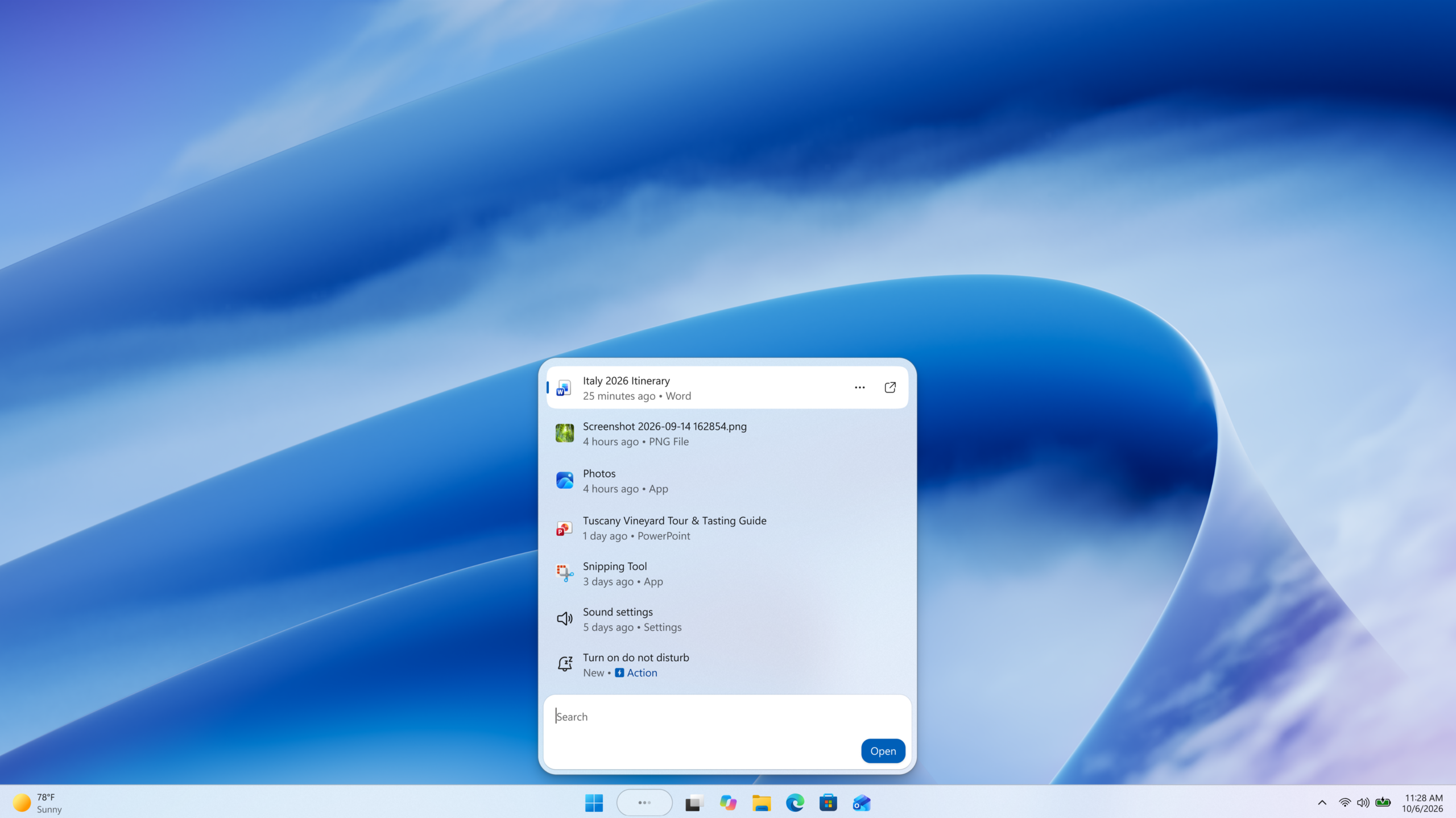
- New Windows Search experience with inline actions: We’re beginning to roll out a new Windows Search experience built on WinUI 3 that is faster, more efficient, and features a streamlined design that makes results easier to scan. We’re also introducing inline actions, allowing you to quickly complete tasks directly. Turn on dark mode or Bluetooth, adjust your screen brightness, mute your device, or arrange windows from Windows Search.
- We’re improving how Windows Search understands what you’re looking for, including better matching for typos and synonyms. We’ll continue fine-tuning these improvements over the coming weeks. For more information detailing the new changes, check out the dedicated Windows Insider Blog.
[Battery Status widget]
Release channel: Experimental
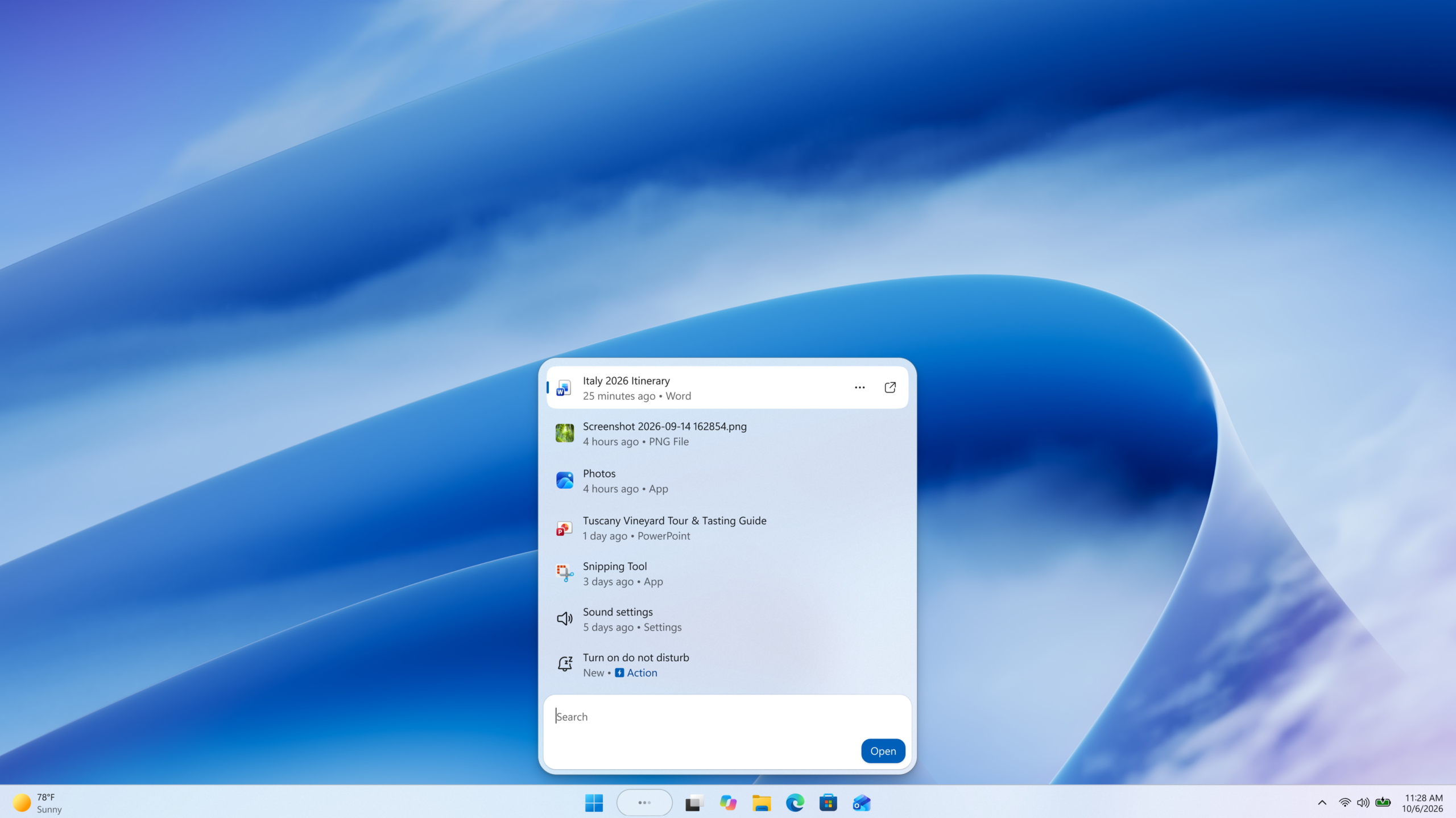
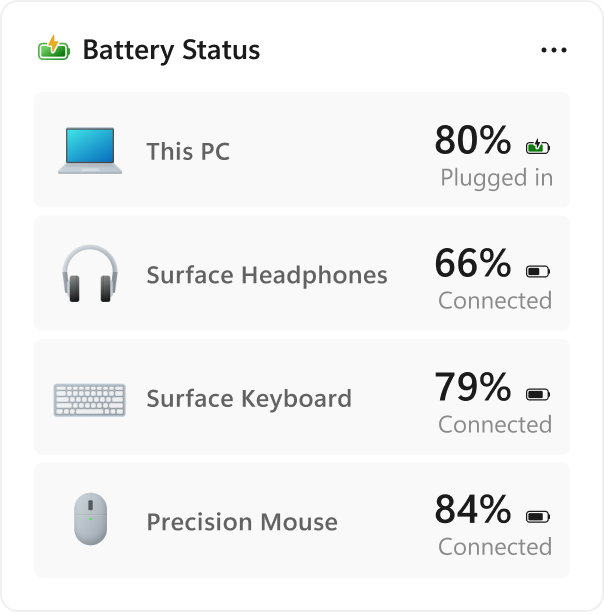
- As part of our continued commitment to making Widgets more useful for everyday moments, we’re introducing the Battery Status widget for Insiders on newer builds. This widget provides a unified view of battery levels for your PC and peripheral devices, helping you quickly assess power status without hunting through multiple UI locations. Add it by going to Widgets board > Add widgets > Battery Status.
Thanks,
Stephen and the Windows Insider Program team