
Hello Windows Insiders,
Today, we’re releasing new Windows 11 Insider Preview builds to the Beta, Experimental, and Release Preview channels.
New builds this week
Select your channel below to view its release notes:
- Beta: Build 26220.9739
- Experimental: Build 26340.9750
For those on other specific Windows build versions, here are today’s new builds and release notes:
- Beta (26H1): Build 28020.3262
- Experimental (26H1): Build 28120.3272
- Experimental (Future Platforms): We do not have an Experimental (Future Platforms) build today
We also have Release Preview for Windows 11, version 26H1 and Windows 11, version 25H2/26H2 going out today:
- Release Preview (25H2/26H2): Build 26200.9807/Build 26300.9807
- Release Preview (26H1): Build 28000.3351
NVIDIA RTX Spark launch
Today we also see the launch of the new range of Windows 11 devices powered by the NVIDIA RTX Spark chip. There’s never been a better time to join the Windows Insider Program, and we look forward to welcoming a new group of Insiders and devices into the program to provide feedback and continue help shape the future of Windows.
Notable new features:
[Gaming]
Release channel: Beta, Experimental
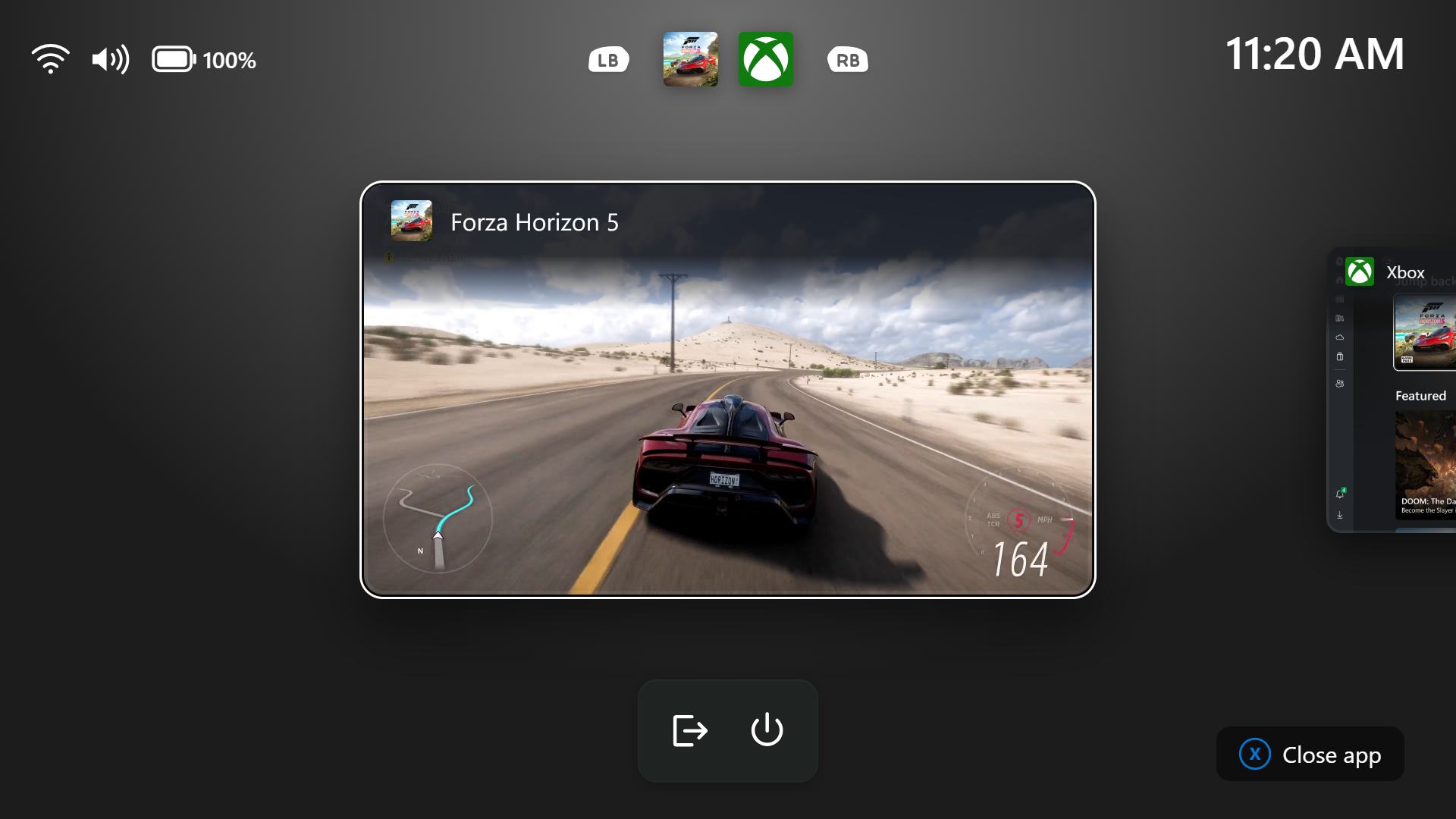
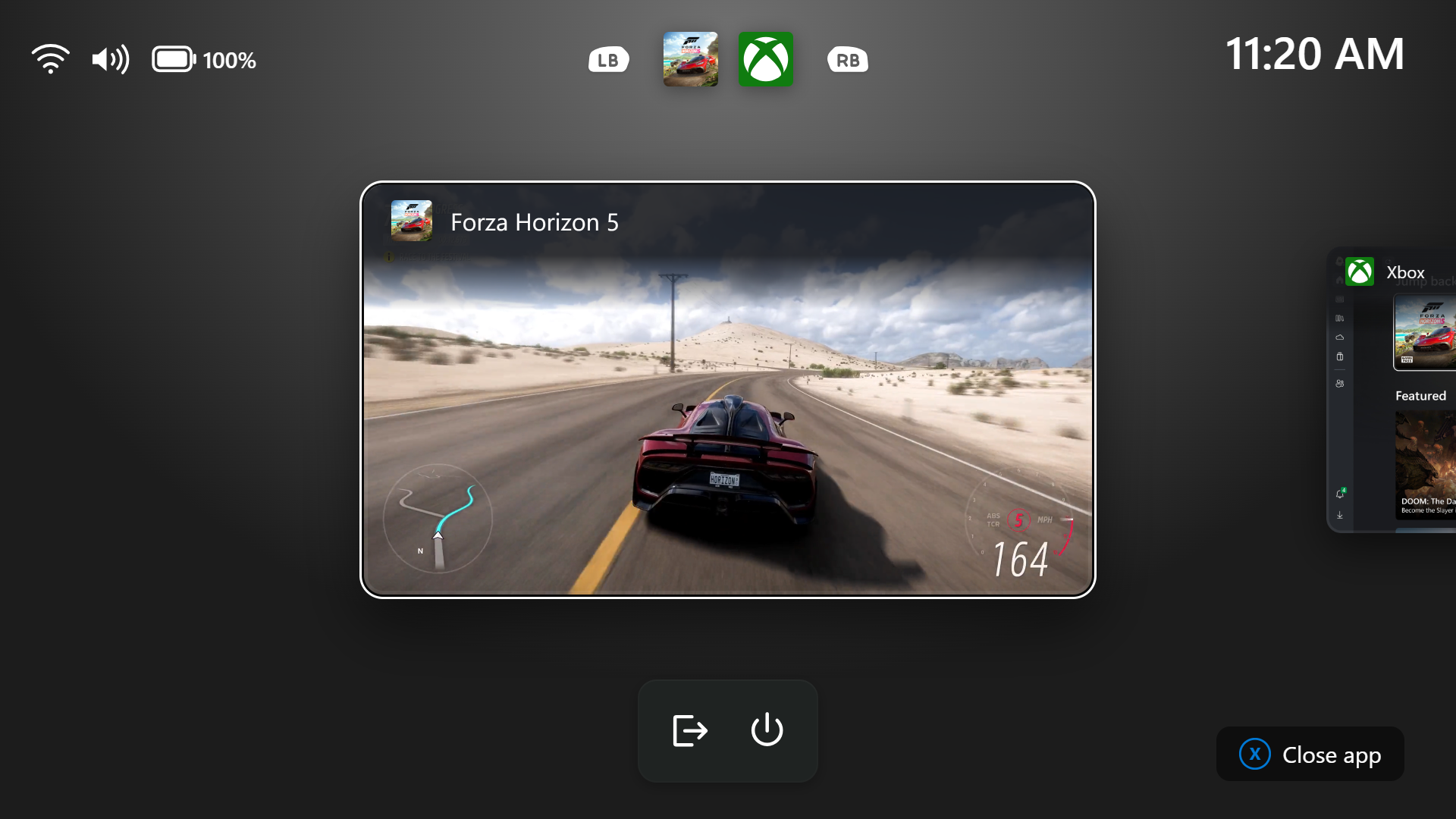
- We’re introducing a refreshed Gaming Task View experience in XBOX mode, featuring a new navigation bar that provides quick access to Exit to Desktop and Power Options. This update makes key system actions easier to access while gaming.
[Windows Hello]
Release channel: Experimental
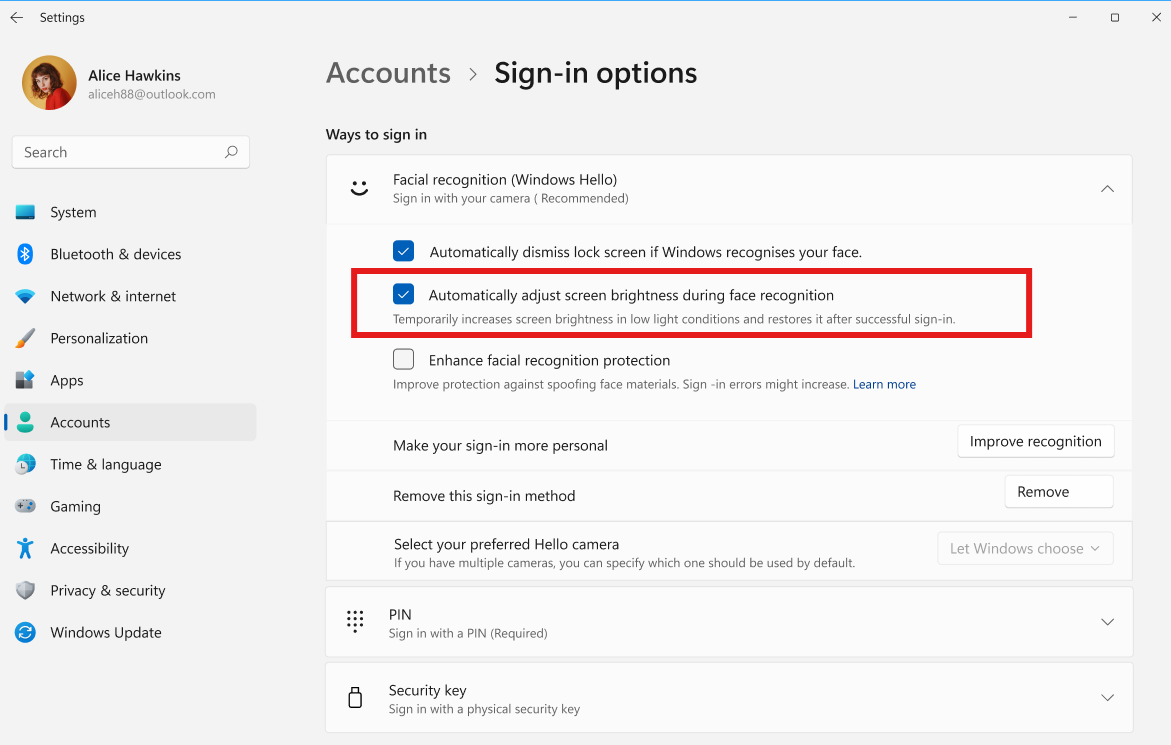
- Windows Hello facial recognition can temporarily brighten your screen to help you sign in when you’re in a dark or dimly lit room.
- To turn on this feature, go to Settings > Accounts > Sign-in options > Facial recognition (Windows Hello) and turn on Automatically adjust screen brightness during face recognition.
Thanks,
Stephen and the Windows Insider Program team