
Hello Windows Insiders,
Today, we’re releasing new Windows 11 Insider Preview builds to the Beta and Experimental channels, as well as introducing a new commercial Feedback Hub policy for commercial customers.
New builds this week
Select your channel below to view its release notes:
- Beta: Build 26220.9836
- Experimental: Build 26340.9843
For those on other specific Windows build versions, here are today’s new builds and release notes:
- Beta (26H1): Build 28020.3382
- Experimental (26H1): Build 28120.3393
- Experimental (Future Platforms): Build 29698.1000
Private feedback for commercial customers
We’re introducing a new Intune policy that lets commercial customers keep feedback submitted through Feedback Hub by users in their tenant private. When this policy is enabled, feedback cannot be posted to the public community or shared with users outside the organization. Feedback will only be accessible to Microsoft and users within the same organization (tenant). See release notes for more information.
Notable new features:
[Windows Search]
Release channel: Experimental, Experimental (26H1)
We’re expanding the new Windows Search experience that began rolling out earlier this month with more ways to find what you need and take action directly from Search.
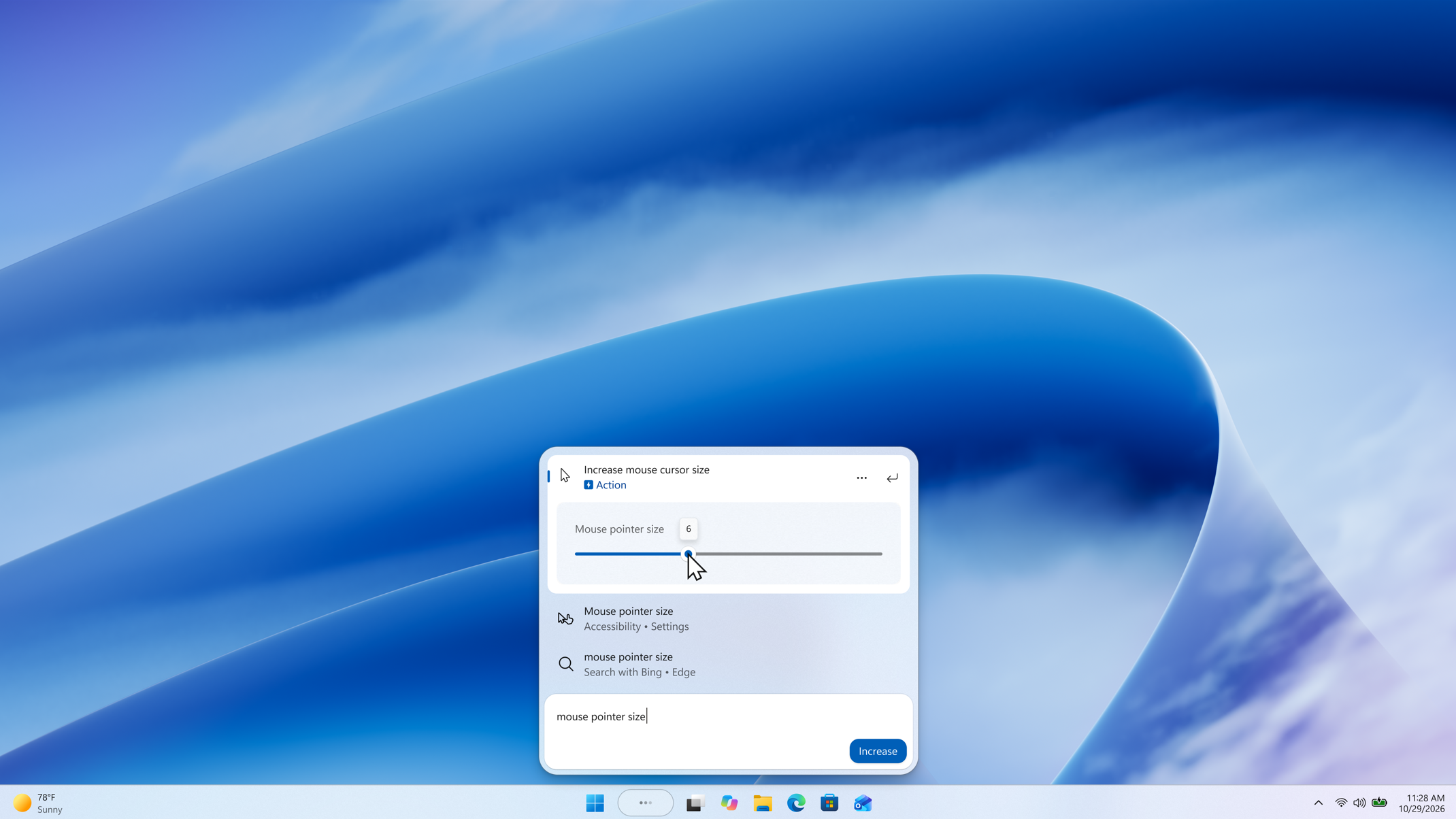
- Inline actions: Adjust your volume, screen brightness, or cursor size with inline sliders. Actions are more clearly labeled, and suggested actions help you discover more things you can do.
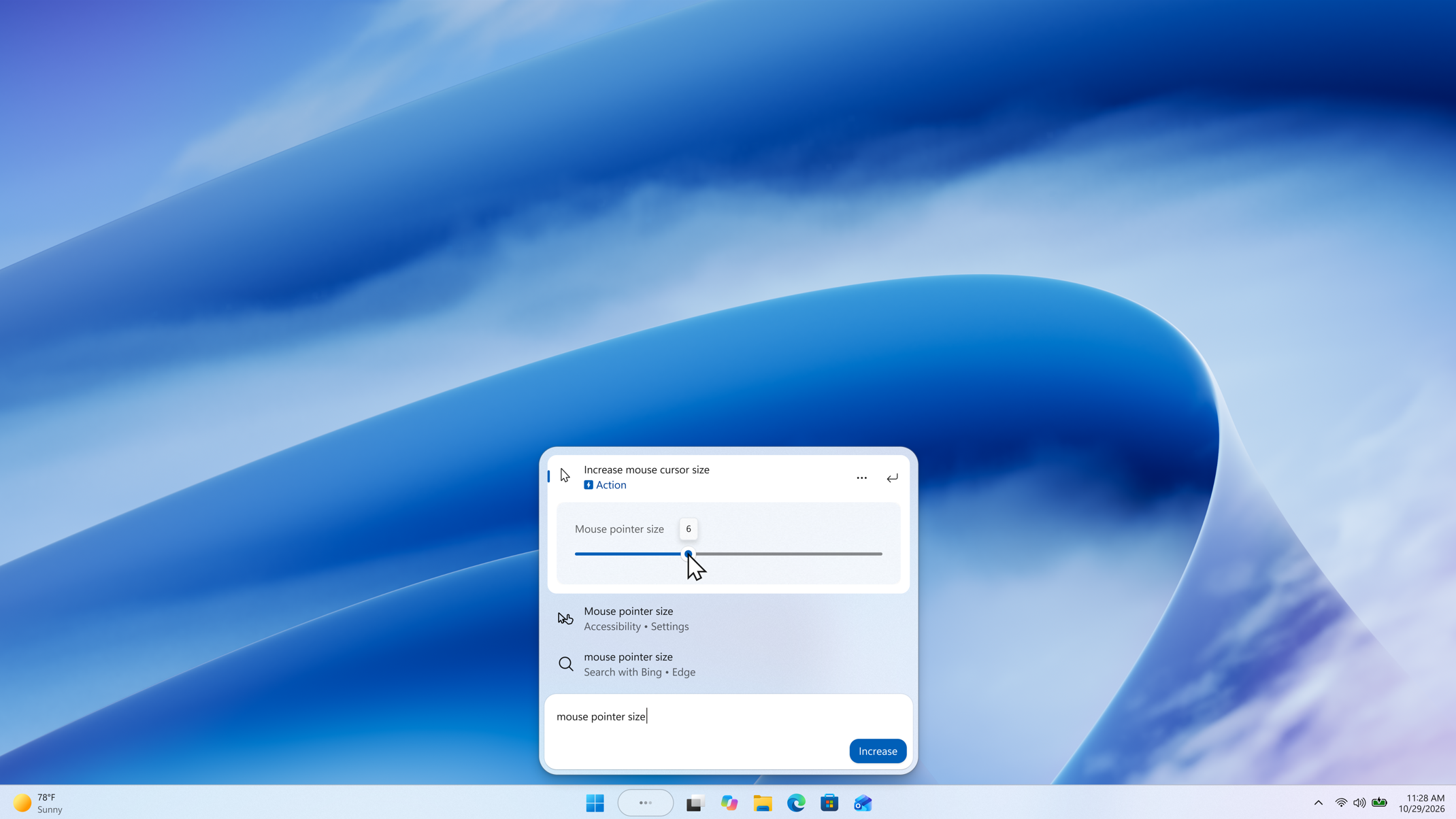
- Phone actions: With a supported phone connected through Phone Link, you can now call or text a friend and access phone actions such as Do Not Disturb. Android support is available now with iPhone support coming early next year.
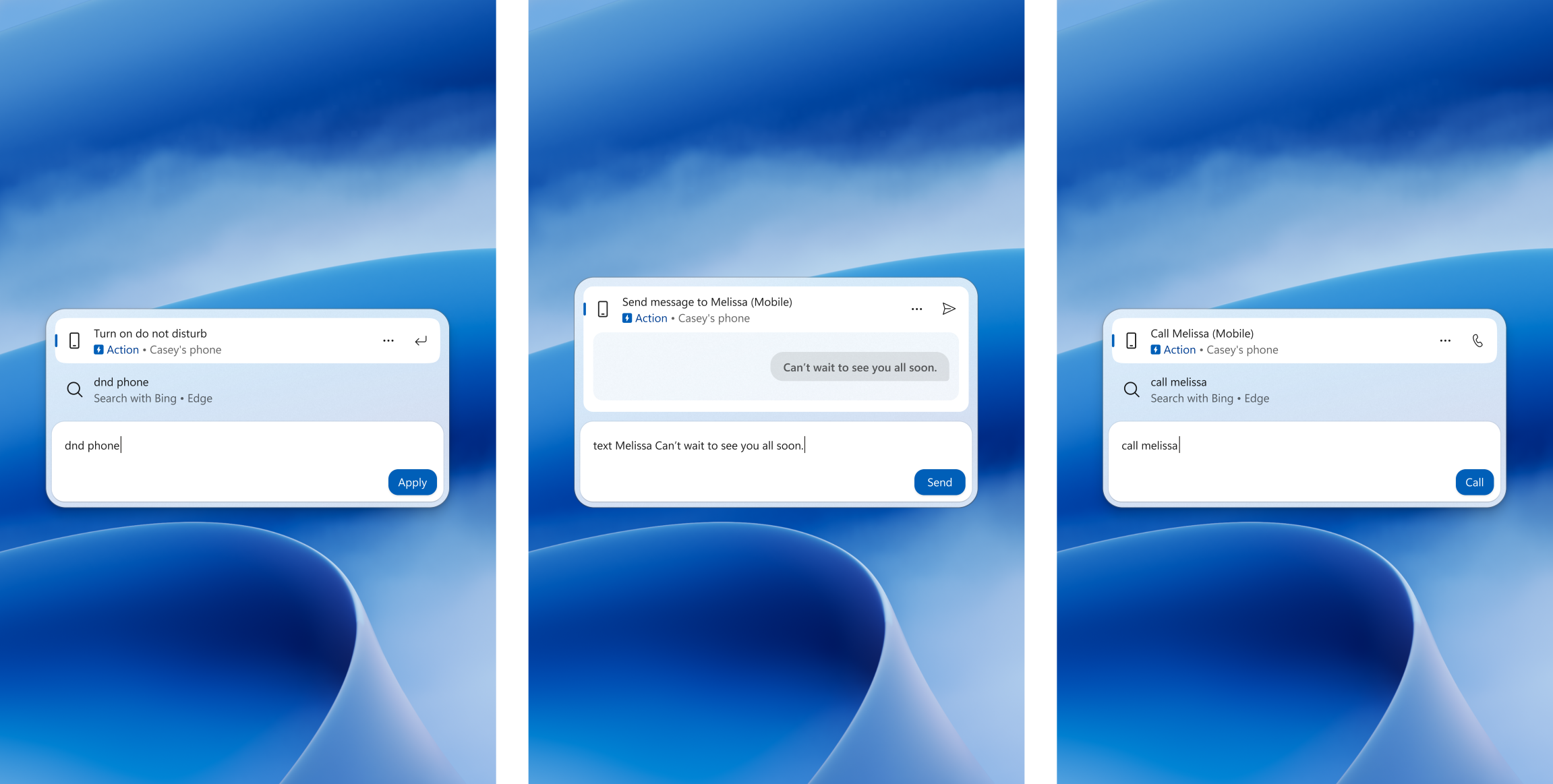
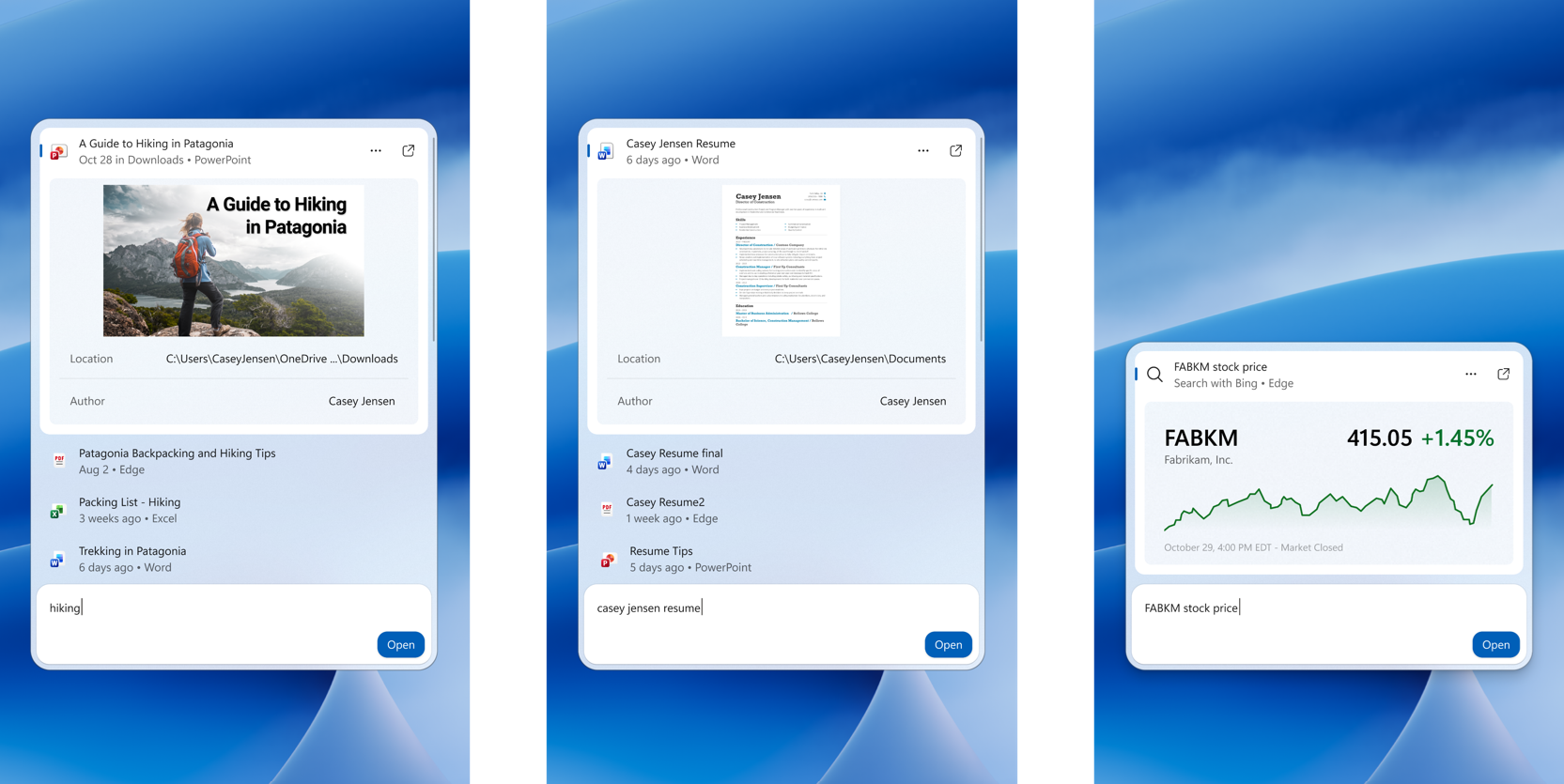
- Richer results: Preview files and see details such as a file’s last modified date, location, and author. Get web answers for weather, stocks, and facts, and discover apps and games from the Microsoft Store. Like web results, app results from the Store can be toggled on or off in Settings > Privacy & security > Search.
- Result filters: Scroll to see more results and filter by Files & Folders, Settings, Actions, and more.
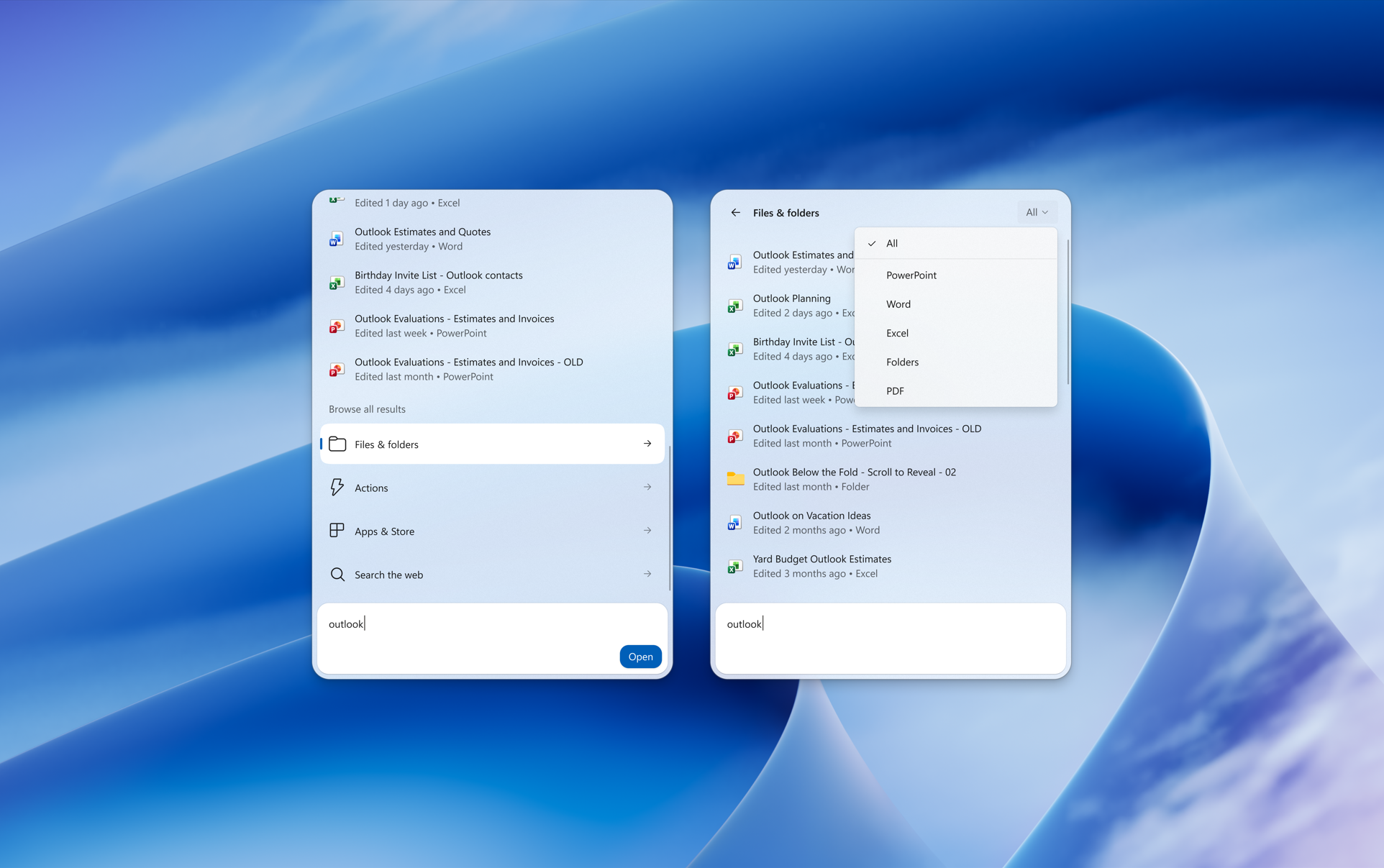
- Feedback controls: Right-click a result or suggestion and choose thumbs up or thumbs down to tell us whether it was helpful. Thanks to your feedback, you can also remove items from the initial Search view before you type. We’ve also made small polish improvements to the look and feel of Windows Search based on what you’ve shared.
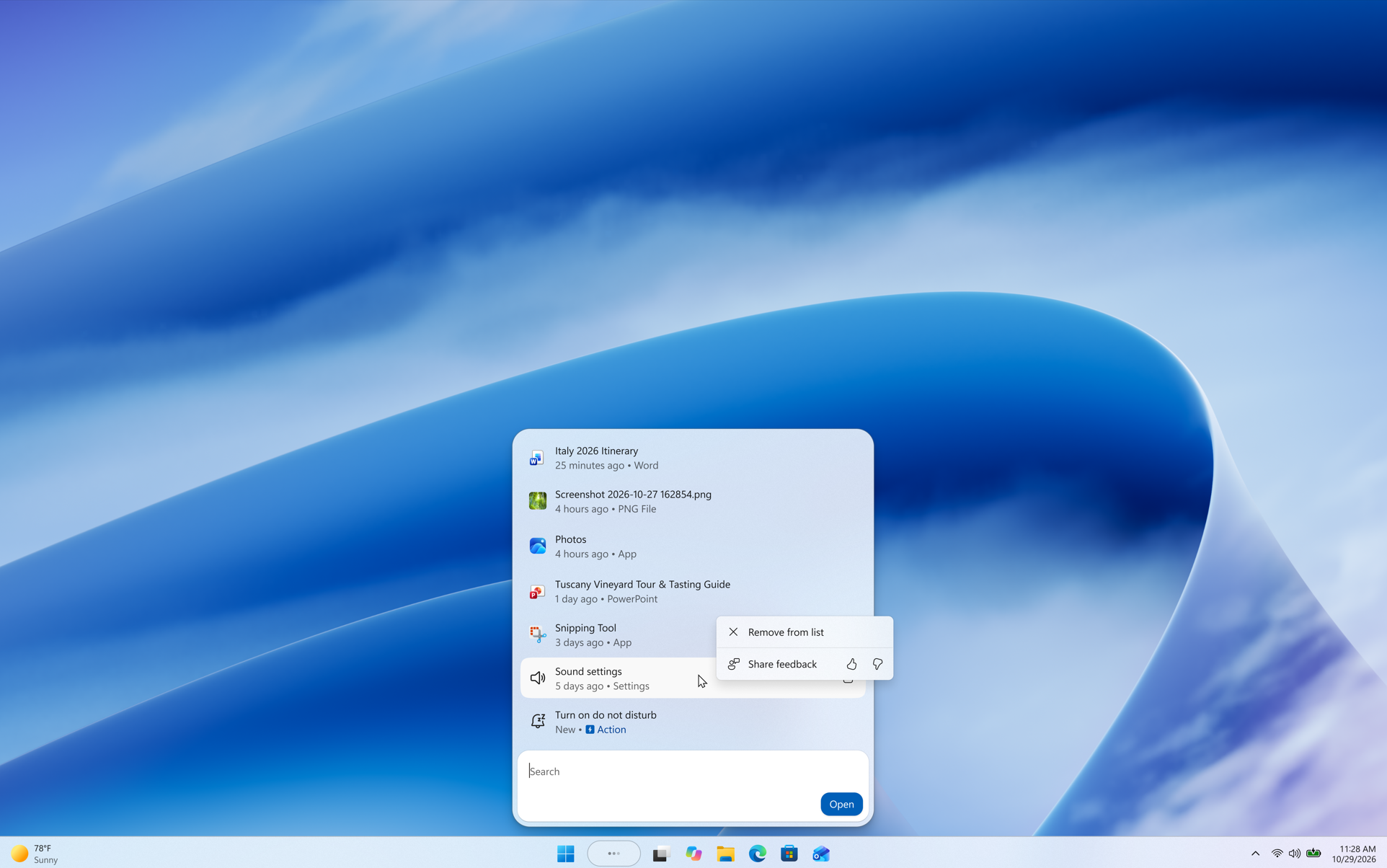
As noted in our blog post, the new Windows Search opens at the bottom center of the screen. Work is underway to have it adapt to different taskbar positions and when using search from the Start menu.
Thanks,
Stephen and the Windows Insider Program team