
It’s 11 p.m. Fifteen tabs are open, the reviews don’t agree, and you’ve checked the price three times. Then, just when you think you’re done, a promo code box appears with a code you don’t have. So, you keep shopping, long past the point you wanted to stop.
Shopping doesn’t have to be like this.
This holiday, Microsoft Edge is your shopping advantage; Edge recognizes the moment you’re in and does the heavy lifting with built-in shopping tools so you can shop faster.
When you’re weighing similar products across tabs, Edge now offers to compare them for you, with a summary right alongside the page you’re on. When you’re ready to purchase, the new Checkout Savings looks for a working coupon and brings it to you. Together with Price Comparison, Cashback, Price Tracking and more, Edge brings you what you’d otherwise go hunting for, so you can find the right gift at the right price and finally call it a night.
See why Microsoft Edge is the smarter browser for shopping on Windows here.
What’s new in Edge this holiday
Edge now helps where shopping often stalls: deciding and buying.
Down to three pairs of headphones, each in its own tab? Instead of flipping back and forth to remember which had the better battery life or the better fit, let Edge do the comparing.
Starting today, Edge recognizes when you’re weighing similar products and offers to compare them for you 1 2. One click, and Copilot generates a summary right alongside the page you’re on, comparing the product specifications, prices, and information all in one view. It even points out what makes each product stand out, so the differences that matter are easy to see.
Still have a question? Ask Copilot while you keep browsing. Once you’ve chosen to compare, Copilot has those tabs for context, so there’s nothing to explain again.
You’re always in control. Edge only offers to help when it notices similar products in your open tabs, and it reviews those pages in full only after you choose to compare. Prefer to shop without it? Turn it off anytime in Edge Settings.
You’ve found the right gift and added it to your cart. And there it is: the empty promo-code box. Do you leave the page to search for a code, or pay and hope you didn’t miss a deal?
Now you don’t have to choose. When you reach checkout, the new Checkout Savings in Edge looks for coupons in the background and can surface a coupon at checkout when one is available 2. There are no coupon-site detours and nothing to install. It’s built right into your browser.
From first tab to crossing it off your list
Let’s face it: shopping is a string of overwhelming moments. Is this the right one? Is this a good price? Is this a real deal? Edge’s existing shopping features help in each moment, recognizing where you are in the process and bringing you what you need, right when you need it.
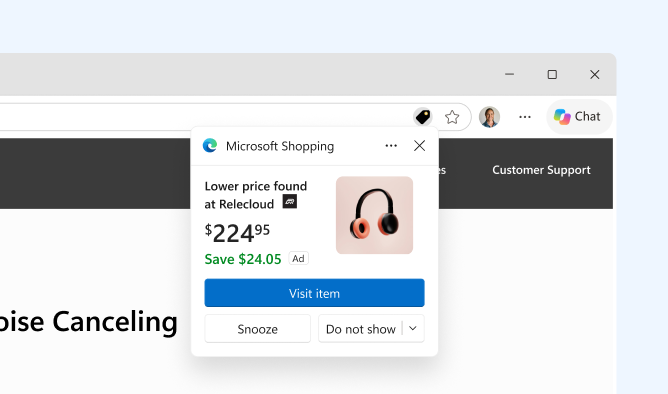
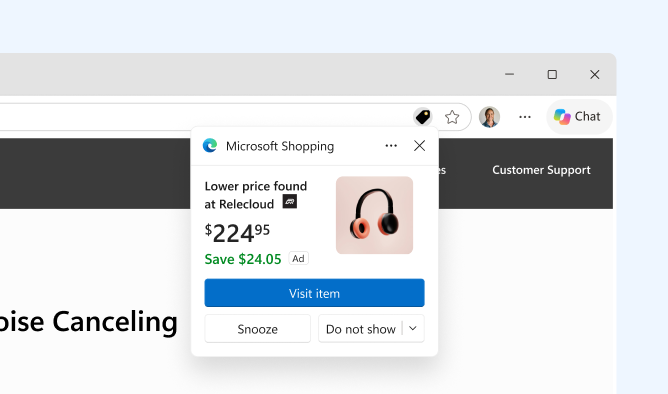
Know you got a good price. Found the right gift? Edge can show you when the same item is available for less at another retailer, helping you compare before you buy.
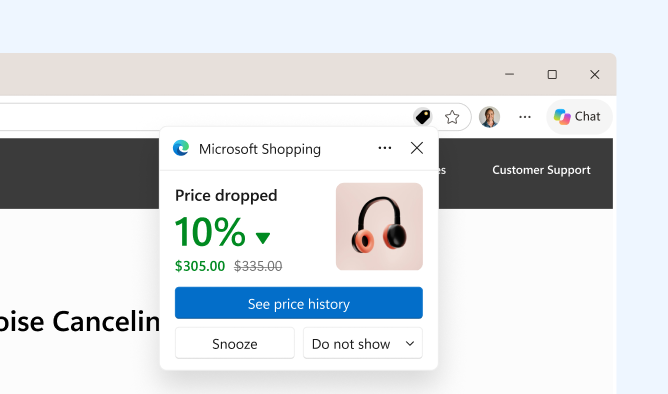
Know it’s a real deal. Price History shows how an item’s price has moved over time, so you can tell whether today’s “deal” is really a deal. Not ready to buy yet? Turn on Price Tracking, and Edge will alert you when the price drops, so you can stop checking and buy when the time is right.
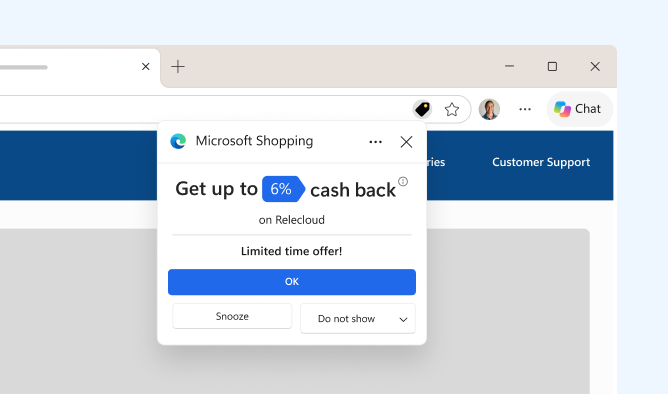
Earn on what you were already buying. When you arrive at an eligible retailer, Edge offers you Cashback. Just activate the offer before purchasing to become eligible to earn cashback, subject to applicable terms, so you’re set to earn on a gift you were buying anyway, before you’ve added anything to your cart. Learn more about earning cashback in Edge
Edge has helped shoppers save nearly $30 million in total so far this year. Now, Cashback and the new Checkout Savings help you can finish your purchase with confidence, knowing Edge looked for savings so you didn’t have to.
Everything in one place. When you’re shopping at a participating retailer in Microsoft Edge, watch for the Shopping tag in the address bar. Click it to open the side pane with Price Comparison, Price History, and more insights, so everything you need to decide is in one view.
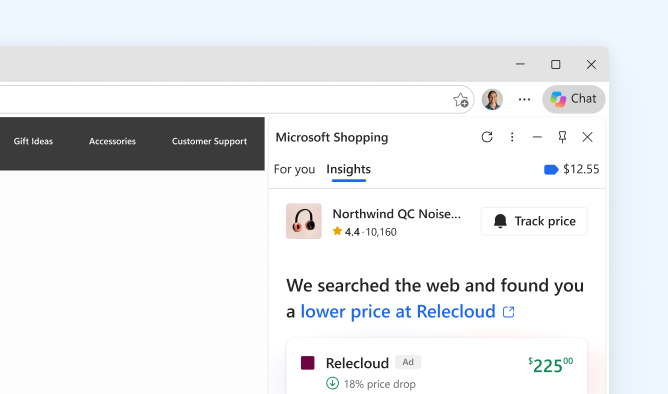
All of it is built into Edge. There’s nothing to install and nothing to hunt for.
Shopping made easy and safe
- Check out easily. Autofill fills in your previously saved details including name, email, and address as you type, so you get through checkout with fewer typos.
- Sign in securely when you shop. New store or new account? Edge suggests a strong, unique password, or lets you skip passwords entirely with Passkeys. There’s nothing to remember and nothing to reset.
- Shop safely. Mistype a store’s address or click a too-good-to-be-true deal, and Microsoft Defender SmartScreen and Website Typo Protection help steer you away from lookalike and phishing sites before you share your details. Finally, Scareware blocker in Edge helps protect you from deceptive popups or fake alerts. Learn more about Security features in Microsoft Edge
You control your shopping journey
At any time, you can choose to turn off or on these shopping experiences in Edge in Settings.
In Edge, your data stays yours. Microsoft only collects what’s needed to improve your experience—or what you choose to provide via Personalization settings. You decide whether Copilot accesses your browsing activity, including tabs and webpage content. Microsoft handles your information in line with its privacy commitments, as outlined in the Microsoft Privacy Statement.
Tell us what you think
All of these built-in shopping tools in Edge are available on Edge for Windows and Mac 2. We can’t wait to hear how they help you this holiday season.
Learn more here and give us your feedback.
1 Available in all Copilot markets
2 Shopping experiences and functionality may vary by website. Checkout Savings is only available in en-US